Pro Launcher, An Awesome Android Launcher App
Contents
- 01 – Introduction
- 02 – Primary Features
- 03 – Suggested Improvements
- 04 – Conclusion
01 – Introduction
I installed the F-Droid Basic app store app a few months ago on my smartphone. Occasionally, I’d see launcher apps on the Latest page/tab of the app. A launcher is the user interface that controls the home screen and app drawer on an Android device. I looked at a few of them, but I wasn’t impressed by what the launcher apps offered compared to what I already had on my smartphone. In March 2026, I decided to investigate the offerings under the Launcher category on the Categories page/tab of the F-Droid app store app.
I became more interested in a launcher app after seeing some of the offerings in the F-Droid app store. I installed a few and played around with them and then I uninstalled them. Two launcher apps in particular appealed to me; Be nice and Discreet Launcher. After playing around with both launcher apps, I decided that I liked the Discreet Launcher app the best. However, using both apps resulted in disabling three features that I found very useful on my smartphone; double-tap to lock the screen, clock app widget not showing on the lock screen when using the Clock app, and music player app widgets also not showing on the lockscreen when using either of my music player apps. So I came to the conclusion that neither app was useful for me.
One of the other launcher apps that I installed and played around with was Olauncher. I decided to take another look at the app, so I installed it again. I didn’t lose the features that I experienced when using the Be nice and the Discreet Launcher apps. However, I didn’t like the fact that I couldn’t organize my apps in folders or categories in Olauncher. Olauncher just presented one screenfull of all apps, which you had to scroll through vertically to locate an app.
On the FAQ page of the Olauncher app, I discovered that the developer had a pro version of the Olauncher app, called Pro Launcher, which allows you to organize apps by category. I installed Pro Launcher and I was quickly smitten. After only a few minutes of playing around with the app, I made the decision to shell out the money for a lifetime license.
02 – Primary Features
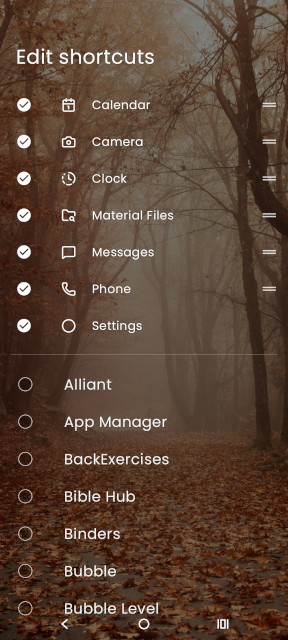
One of the first things I noticed when using Pro Launcher was shortcuts on the homepage. I really like the shortcuts feature as it’s a better replacement for favorite apps in my opinion. Shortcuts are displayed using small icons, so they don’t take up a lot of screen space. You can also display apps on the home page, but I prefer an uncluttered home page after trying a few launchers that have the feature.
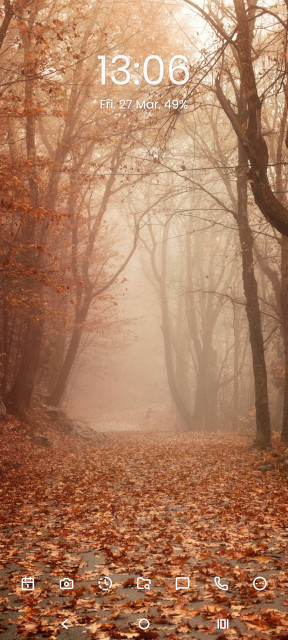
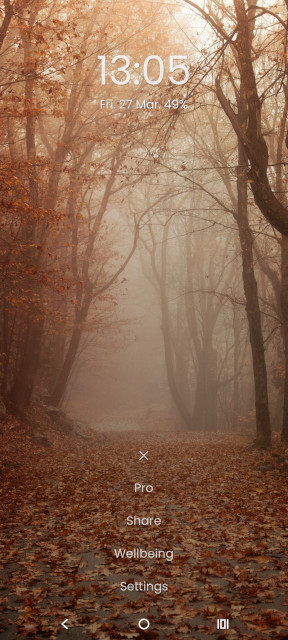
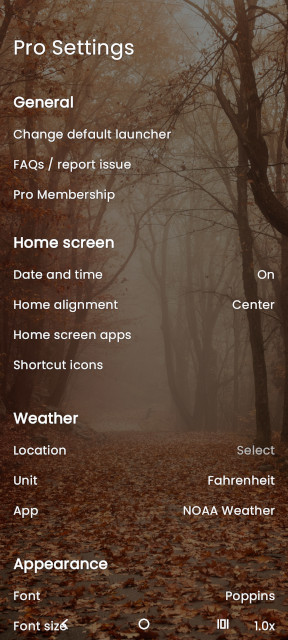
Shortcuts are customizable and the settings are accessible by briefly pressing the Settings shortcut (circle icon with three horizontal dots in the center; reference above image), selecting Settings, and then selecting Shortcut icons under the Home screen section.
 |
 |
 |
Other options available under the Settings shortcut are:
- License info
- Share (options to share info about Pro Launcher with others)
- Wellbeing settings
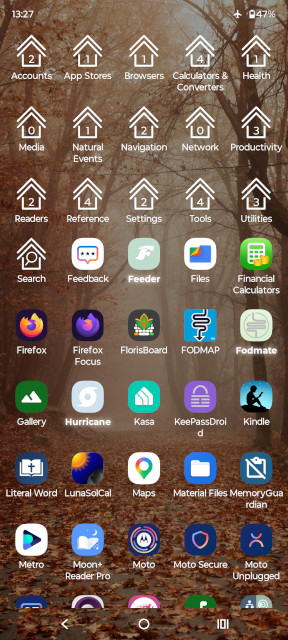
Apps and categories/folders are displayed in the app drawer. To access the app drawer, you swipe up on the home screen. By default, apps are displayed as text in a vertical list and categories/folders are displayed as tabs horizontally at the top. Some apps are automatically placed in categories during installation of Pro Launcher. While apps can be placed in categories/folders, all apps will still show under the All apps category/folder.
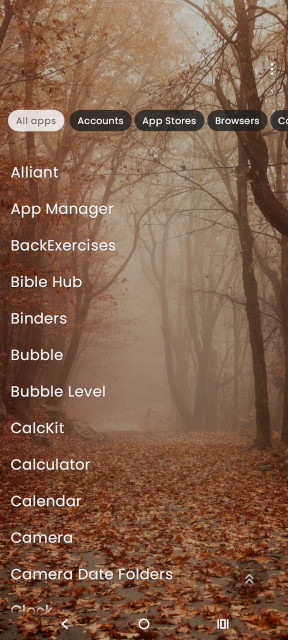
I would have preferred that none of my apps had been categorized, as some of the category/folder names weren’t ones I would have chosen.
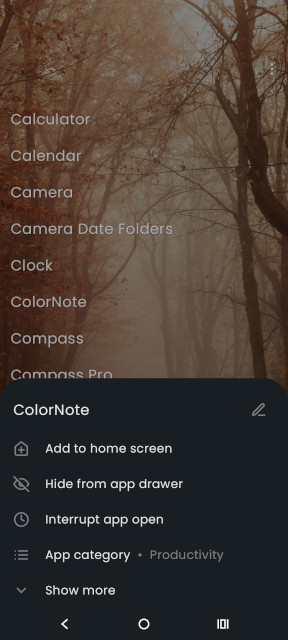
To place an app into a category/folder, or modify other settings for an app including hiding the app, long-press the app name under the All apps category/folder, or applicable category/folder if the app has been categorized.
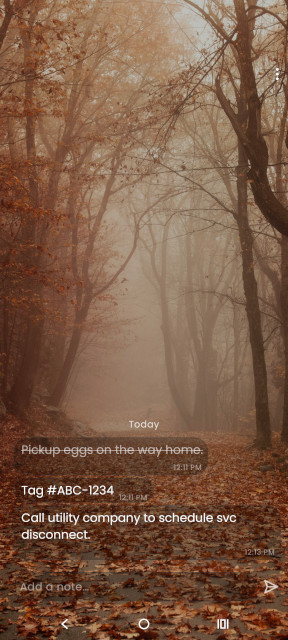
Pro Launcher comes by default with a simple notes and tasks page (swipe left from the home page) and a widgets page (swipe right from the home page). However, both swipe actions can be used for opening apps instead if desired. Note: app widgets are not provided by Pro Launcher.
 |
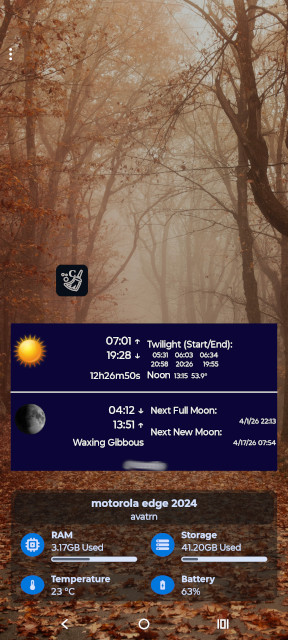 |
There is an option under Settings to have a daily wallpaper. I don’t think I’ll ever use that option because I prefer to use my own wallpapers.
03 – Suggested Improvements
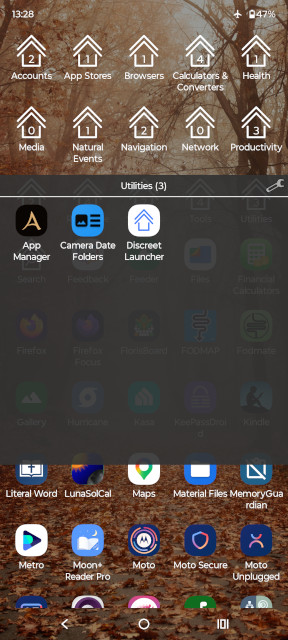
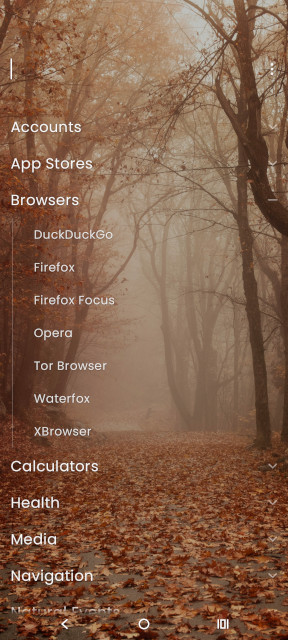
While I think the Pro Launcher app is a really awesome launcher app, there is one major thing that can be improved in my opinion. I dislike the way apps and categories are aligned (categories in one horizontal line, apps in one vertical line), as well as the text-based display of apps and categories. Both the alignment and text-based display take up too much screen real estate, resulting in unnecessary scrolling. I think the interface in the Discreet Launcher app is a lot nicer, except for the folder icons used. App icons would also be more useful when you have more than one app with the same name.
 |
 |
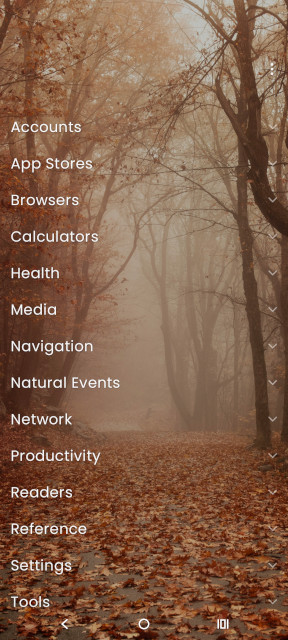
On 03/30/2026, Pro Launcher was upgraded to version 2.1.8. The upgrade provided the ability to display categories/folders as tabs or as a list. While displaying categories/folders as a list is an improvement, I still prefer the Discreet Launcher interface.
 |
 |
I think it would be better to have a Hidden Apps category/folder in the app drawer. Currently, to display a list of hidden apps, you have to access the Pro Launcher Settings page and then press and release on the Pro text at the top of the page.
04 – Conclusion
I just love the Pro Launcher app. It is a big improvement over the stock launcher that came with my smartphone. Do you use a third party launcher app? Let me know in the Comment box at the bottom of the page. Thank you for visiting.
Post header image courtesy of Tung Nguyen on Pixabay.
2026-003

You May Also Like
Maytag MVWC565FW1 Washing Machine – Dead After Only 3 Years
Nubian Heritage Body Lotion in a User-Friendly Container