Short Bits 2026
Updated on 2026-07-13
Short Bits is my method of sharing information that would be too short for a separate blog post. Following are my short posts for 2026.
Contents
- 01 – Check the Ingredient List When Purchasing Baked Goods in the Whole Foods Market Bakery (2026-02-06)
- 02 – Attempted to Try Fedora Linux (2026-04-18)
- 03 – My First Attempt at Water Bath Canning – Success! (2026-05-13)
- 04 – I Finally Resolved the Slow Download Speed on My Motorola Smartphone (2026-07-13)
01 – Check the Ingredient List When Purchasing Baked Goods in the Whole Foods Market Bakery (2026-02-06)
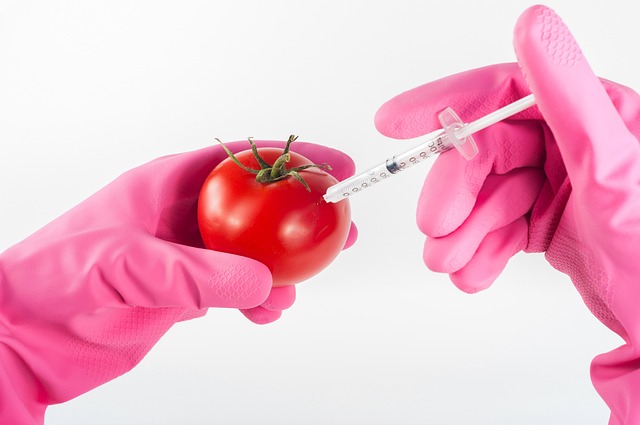
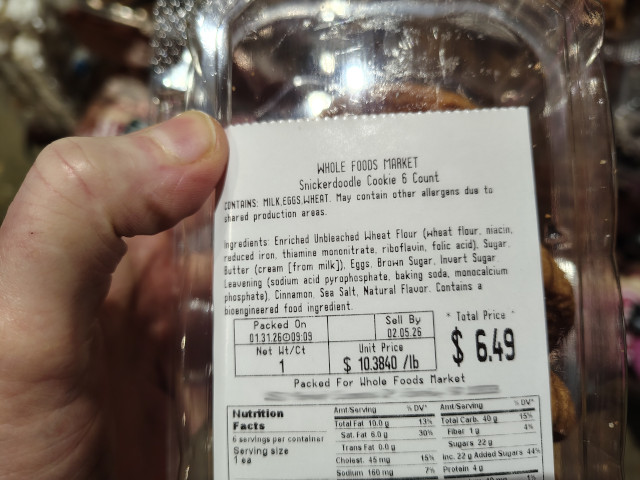
If you buy baked goods made by Whole Foods Market bakery, you should check the ingredient list. About a year or two ago, I began to notice that Whole Foods Market bakery began using a GMO (genetically modified organism) ingredient in their cupcakes and in one of their pies. I was dumbfounded…Whole Foods Market, who prides themselves for selling organic food, using a GMO ingredient?! A few months ago, I noticed that they are now also using a GMO ingredient in their cookies. As a result, I choose not to purchase the products.

02 – Attempted to Try Fedora Linux (2026-04-18)
Updated on 2026-07-13
I decided to try Fedora Linux this month. I did a little bit of research prior to making the decision to try Fedora Linux and I read a Distrowatch review by Jesse Smith about release 43. In the review Jesse stated that he wasn’t able to find a way to install Fedora Linux on a specific partition. However, I thought I’d try anyway. I downloaded the XFCE spin of release 43 and burned it to a USB thumb drive.
Jesse was right. There was no way to install Fedora Linux on a specific partition. I received an error stating that there wasn’t enough space on the drive I intended to install Fedora Linux on, but there was a 29 GB partition with nothing on it. However, for whatever reason, the Fedora installer wasn’t able to see it.
So, I thought I’d try installing the XFCE spin of release 42, available from the Fedora Linux public archives. However, I wasn’t able to even boot the live version of Fedora Linux from the USB thumb drive I installed it on. The UEFI boot menu on my computer showed two partitions for Fedora Linux. Attempting to boot from the first USB thumb drive partition just rebooted the computer. Attempting to boot from the second USB thumb drive partition brought up a GRUB prompt.
I did a little bit of research about Fedora Linux release 42 install errors. Although I found plenty of posts about errors, I wasn’t able to find a solution for the issue I was having.
Fedora 44 was released near the end of the month, so I thought I’d try installing the XFCE spin again. I discovered that you could install to a particular partition. Blame my initial impression on user ignorance. I got to the point where I was ready to install the system only to discover that Fedora defaults to using Btrfs as the file system for the system partition. I didn’t want to use Btrfs and there was no option to choose a different file system; e.g. ext4. Installation also would have resulted in a separate /boot partition, which I don’t care to use. So once again, I gave up thinking I wouldn’t try instally Fedora again.
However, usually not being one to give up easily, I attempted to install Fedora 44 again in June. This time I was able to choose ext4 as a file system, although I no longer remember how I did it, and I successfully installed Fedora 44.
When I rebooted my computer after the install, Fedora was the only option in the GRUB boot menu. What?! I was able to remedy that issue, but I wasn’t happy about the changes Fedora did when it was installed.
I used Fedora for most of the month of June as one of my daily drivers. However, I decided on July 03 to wipe the installation because Fedora had some differences compared to other Linux distros I use that I didn’t care for. I also almost always had issues booting Fedora from the GRUB menu.
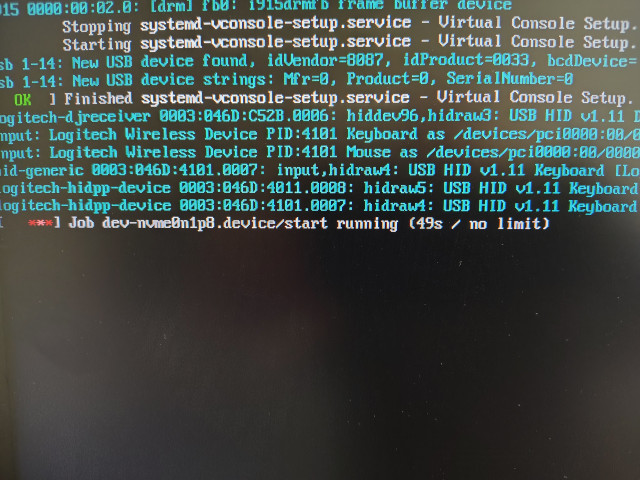
I usually had to use the Advanced Options for Fedora in the GRUB boot menu before Fedora would boot.
03 – My First Attempt at Water Bath Canning – Success! (2026-05-13)
Updated on 2026-07-03
I began following a low FODMAP diet last year, meaning that practically all retail salsa was off limits due to the fact that the salsas typically contain garlic and onion. Fody Food Company makes a low FODMAP salsa, but the taste was just okay. I thought I might be able to do better making my own low FODMAP salsa and canning it.
My first task was to find a low FODMAP salsa canning recipe, but I only found one. The recipe is called Choice salsa and it is available at the National Center for Home Food Preservation site at the University of Georgia.
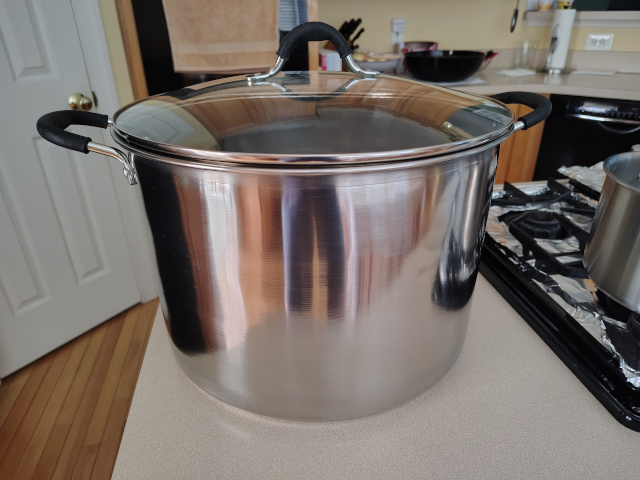
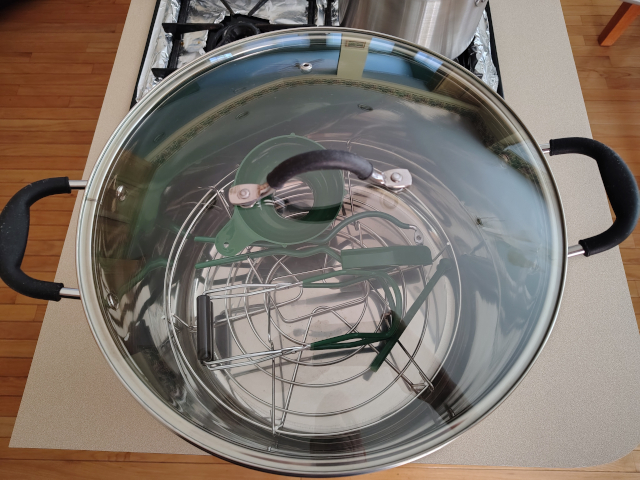
Now that I had a recipe, it was time to purchase a water bath canner. I looked at the offerings on Amazon and I settled for a McSunley 21.5 quart water bath canner with a 5-piece canning tool set. I purchased the water bath canner and canning tool set in March.
 |
 |
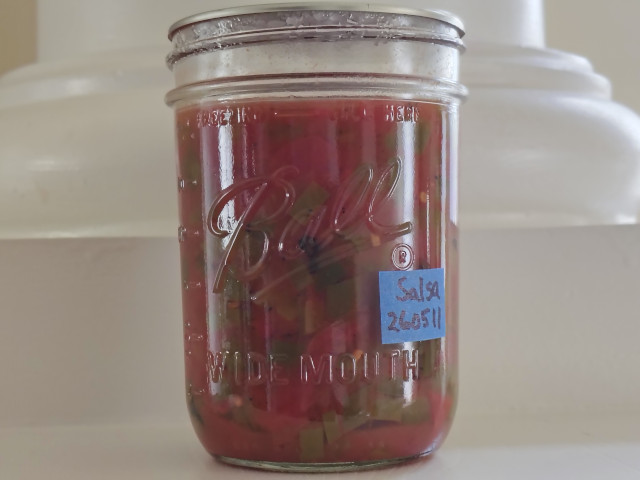
In May, I purchased the ingredients from Whole Foods Market to make the canned salsa recipe. On May 11, I canned 6 pints of salsa. I had enough salsa to can 7 pints, but I didn’t have a clean canning lid. Therefore, I just put the leftover in a canning jar I had set aside for making ghee and I placed the jar in the refrigerator.
In the wee morning hours on May 13, I checked the 6 pints of canned salsa to make sure the seals were intact. The seals on all 6 pints were firmly intact.
While the canning process was a complete success, the salsa didn’t turn out that well. One problem was that the peppers I purchased that I thought were jalapeno peppers I don’t think were jalapeno peppers. I did remove the seeds and veins from the peppers because doing so is supposed to decrease the heat, but the salsa had no heat whatsoever. I think the produce personnel at Whole Foods Market may have placed the wrong peppers in the wrong bin. The peppers may have been Anaheim peppers, which aren’t nearly as hot as jalapeno peppers.
I put a heaping 1/4 tsp of dried ground cayenne pepper in the jar I had leftover and the addition of cayenne solved the lack of heat problem.
The other issue is that the salsa needs some kind of seasoning to make it taste better. I’ll need to experiment with some herbs and/or spices. I did come across at least one salsa canning recipe that called for the use of oregano, so I’ll try that in addition to researching other possible seasoning candidates.
I did use a 1/4 tsp of hing (asafoetida) in the salsa. I thought the hing might make up, at least somewhat, for the lack of garlic and onion in the salsa. However, I’m not sure it added much, if any, flavor to the salsa.
As of 07/03/2026, I’m now on my second jar of canned salsa. The canned salsa tastes better than the uncanned leftover I had, although I’ve still needed to add a heaping 1/4 tsp of dried ground cayenne pepper to each jar to add some kick to the salsa. I’m considering using more hing the next time I make more canned salsa.
If you’d like to leave a comment, you can do so in the comment box at the bottom of the page. Thank you for visiting.

04 – I Finally Resolved the Slow Download Speed on My Motorola Smartphone (2026-07-13)
Last year, I wrote about slow download speeds after my Motorola smartphone was upgraded to Android 15, codename Marshmallow. I went almost a year suffering with less than 1Mbs download speeds. Watching YouTube videos was impossible most of the time. Fortunately, I kept my old Motorola smartphone and I used that to watch YouTube videos.
I thought the slow download issue would be resolved when I received the Android 16 upgrade. Finally, on May 29, I received the Android 16 upgrade. I was so looking forward to having the download speed I experienced prior to the Android 15 upgrade. Unfortunately, the slow download speed issue persisted after the Android 16 upgrade.
In June, I was looking into flashing the e/OS custom ROM onto my Motorola smartphone. Some of the ROM pre-flash requirements require options only available under Developer Mode. I had enabled Developer Mode last year while trying to resolve the slow download speeds after the Android 15 upgrade. While perusing some of the options under Developer Mode, an option under the /Networking/ section caught my eye. I didn’t look into the option until two days later.
The option was Configure network download rate limit. Somehow, the option was set at 1Mbs.
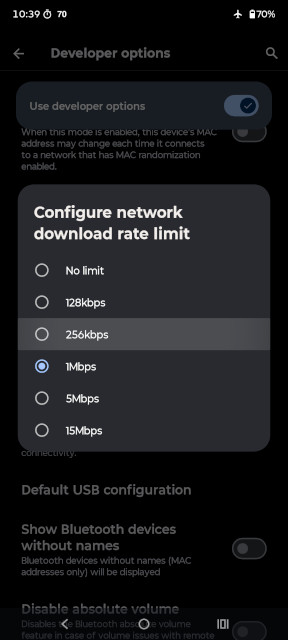
I changed the network download rate limit option to No limit and then I tested my network speed. The speed was still less than 1Mbs. So I went back into the same setting again and it was set at 1Mbs again. Again, I set the option to No limit, then I tested my network speed again. This time, success!
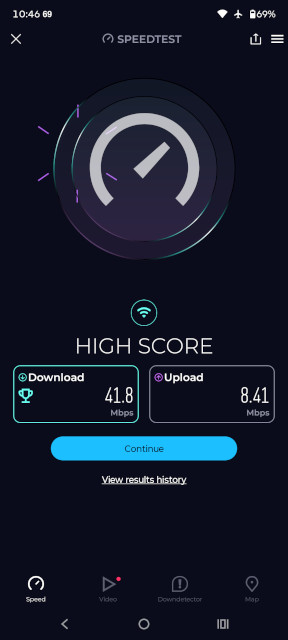
I still would like to install the e/OS custom ROM, but I want to wait until the release of Android 17. Otherwise, I’d somehow need to downgrade Android 16 to Android 15 on my smartphone. I think that’s too much tinkering to potentially end up bricking my phone.
Post header image courtesy of reynaldoac on Pixabay.
2026-001


You May Also Like

Shared Bits 5-Year Anniversary

Markup a Bible for Chronological Reading